
Call us now :08045815474
 Send Inquiry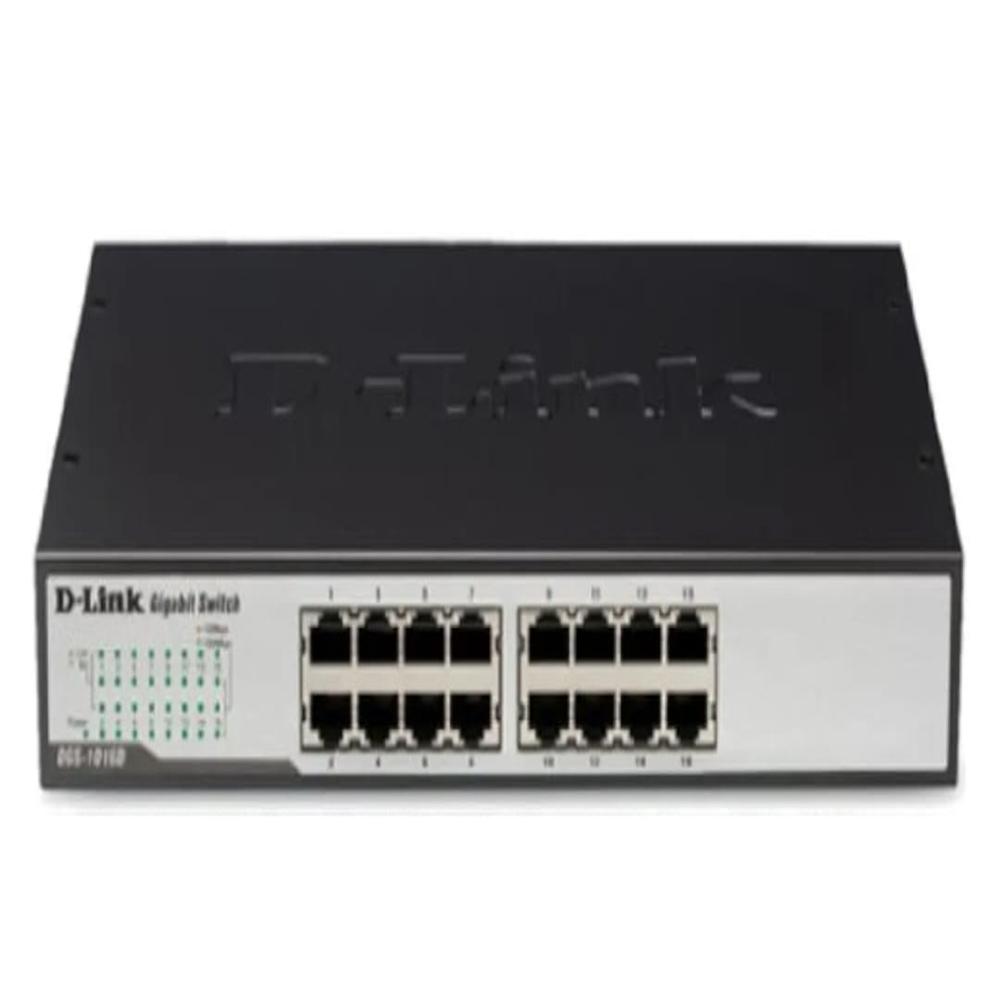
DGS- 1016
4300.0 INR/Piece
Product Details:
- Frequency 50/60 Hz
- Port 16 x 10/100/1000BASE-T ports
- Network Device Ethernet Switch
- Power Consumption Max. 13.2W
- Usage & Applications Small Office/Home Office, SMEs, network expansion
- Device Type Unmanaged Desktop Switch
- Dimension (L*W*H) 280 x 125.8 x 44mm
- Click to View more
X
DGS- 1016 Price And Quantity
- 1 Piece
- 4300.0 INR/Piece
- -10~70°C
- 32 Gbps
- Up to 9,216 bytes
- 23.8 Mpps
- 8K entries
- 512 KB
- Metal
- IEEE 802.3az Energy-Efficient Ethernet (EEE)
- 10% ~ 90% non-condensing (operating), 5% ~ 95% non-condensing (storage)
- Power, Link/Activity
- Desktop or wall-mountable
DGS- 1016 Product Specifications
- No
- Up to 100 meters for UTP Cat 5e
- Yes
- 0~40C
- 16 Ports
- 1.25 kg
- 100~240V AC, 50/60Hz internal universal power supply
- 50/60 Hz
- Wired
- 16 x 10/100/1000BASE-T ports
- Max. 13.2W
- Ethernet Switch
- 280 x 125.8 x 44mm
- Small Office/Home Office, SMEs, network expansion
- Unmanaged Desktop Switch
- Plug and Play, 16 Gbps switching capacity, auto MDI/MDIX, fanless design
- RJ-45
- -10~70°C
- 32 Gbps
- Up to 9,216 bytes
- 23.8 Mpps
- 8K entries
- 512 KB
- Metal
- IEEE 802.3az Energy-Efficient Ethernet (EEE)
- 10% ~ 90% non-condensing (operating), 5% ~ 95% non-condensing (storage)
- Power, Link/Activity
- Desktop or wall-mountable
DGS- 1016 Trade Information
- 16
- 10 Piece Per Month
- 2 Days
- No
Product Description
16-Port Gigabit Unmanaged Desktop Switch
DGS-1016D/C
- Cable diagnostics troubleshooting
- 3-pin front panel DIP switch for real-time toggling Energy-efficient Ethernet (EEE), Flow Control, Port Isolation, and Storm Control
- Compact and durable housing, high port count, and fanless design for noise-free operation
High-Performance Network Expansion
With 16 gigabit ports and advanced features such as a sizable 8K MAC address table, the DGS-1016 is engineered for optimal network expansion. It effortlessly handles high-bandwidth applications, ensuring efficient data transfers in small to medium business networks without compromising speed or stability.
Energy Efficiency and Quiet Operation
This Ethernet switch incorporates IEEE 802.3az energy-efficient Ethernet, reducing power consumption during low activity periods. Its fanless design ensures completely silent operation, making it suitable for environments where noise is a concern while maintaining low running costs over time.
User-Friendly and Durable Design
The DGS-1016 embraces a plug-and-play approach for quick deployment, eliminating complicated setups. Its robust metal housing and flexible mounting options-desktop or wall-provide lasting durability and versatile installation to suit multiple workspace layouts.
FAQ's of DGS- 1016:
Q: How do I set up the DGS-1016 Ethernet switch at my office or home?
A: The DGS-1016 features plug-and-play installation, meaning you only need to connect your network devices using standard Ethernet cables to any of the 16 ports. There's no configuration required, making the setup process fast and hassle-free for immediate use.Q: What types of environments is the DGS-1016 suitable for, and where can I install it?
A: Designed for small offices, home offices, and small to medium enterprises, the DGS-1016 is ideal for expanding wired connectivity. It can be placed on a desktop or wall-mounted, fitting seamlessly in various workspaces thanks to its compact, sturdy metal housing.Q: When should I use jumbo frame support on the DGS-1016?
A: Enabling jumbo frame support is beneficial when transferring large amounts of data over the network, such as during backups or file shares, as it reduces CPU load and increases transmission efficiency for compatible network devices.Q: What benefits does the IEEE 802.3az Energy-Efficient Ethernet offer in the DGS-1016?
A: IEEE 802.3az reduces the device's power consumption during periods of low network activity, resulting in lower electricity usage and operational costs. This energy-saving feature helps promote sustainability without compromising network performance.Q: How does the DGS-1016 ensure reliable network connectivity and what is its maximum cable length?
A: With auto MDI/MDIX on every port, the DGS-1016 prevents connectivity issues by automatically detecting cable types, eliminating the need for crossover cables. It supports UTP Cat 5e cables up to 100 meters, ensuring reliable connections across extended distances.Q: What is the process for mounting the DGS-1016 switch?
A: The switch comes with the needed hardware for both desktop placement and wall-mounting. To mount it, simply follow the instructions provided in the user manual to securely attach it to a wall or position it on a flat surface according to your workspace requirements.Tell us about your requirement

Price:
Quantity
Select Unit
- 50
- 100
- 200
- 250
- 500
- 1000+
Additional detail
Mobile number
Email

Other Products in 'D-Link NETWORK SWITCH' category


 Send Inquiry
Our Products
- UPS Online
- Burglar Alarm System
- Network Solutions
- Data Security Solutions
- Cabling And Wiring Solution
- Call Center Services
- Break Glass Fire Alarm
- Voice Logger System
- IVR System
- CTI Telephone Calls Services
- Software Solutions
- Voice Mail Systems
- QNAP NETWORK ATTACHED STORAGE (NAS)
- ASUSTOR NETWORK ATTACHED STORAGE (NAS)
- AS1102T Asustor
- NETWORK-ATTACHED STORAGE
- CISCO NETWORK SWITCH
- D-Link NETWORK SWITCH
- TP-Link NETWORK SWITCH
- TENDA NETWORK SWITCH
- NETGEAR NETWORK SWITCH
- UBIQUITI NETWORK SWITCH
- HPE SERVER
- DELL SERVER
- CISCO FIREWALL
- FORTINET FIREWALL
- SOPHOS FIREWALL
- SONICWALL FIREWAL
- MATRIX EPABX
- REFURBISHED CISCO NETWORK SWITCH
- APC UPS ONLINE
- EATON UPS ONLINE
- (NAS ) Data Centre
- Laptop & Desktop
- Fire Alarm Installation Services
- SYNOLOGY NETWORK ATTACHED STORAGE (NAS)
- DS723 Synology DiskStation
- DS423 Synology DiskStation
- DS224 Synology DiskStation
- DS923 Synology Diskstation
- DS1621 Synology DiskStation
- DS1821 Synology DiskStation
- Camera
- Wifi Solution
- Telecom Services & Solution
- Firewall Service & Product
- Biometric Attendance System
- Security Camera System
- Security Camera
- Synology Nas DS423+
- HIKVISION CCTV CAMERA
- CP-PLUS CCTV CAMERA
- CISCO ACCESS POINT
- D-LINK ACCESS POINT
- TP-LINK ACCESS POINT
- TENDA ACCESS POINT
- NETGEAR ACCESS POINT
- UBIQUITI ACCESS POINT


Plot No. 204/224, Mhada Layout Gorai 2, RSC 41 Gorai Road, Near Pragati School, Borivali West,Mumbai - 400092, Maharashtra, India

Mr. Prayag Sharma
(Director)
Mobile :08045815474
 Send Inquiry
 Send SMS
Developed and Managed by Infocom Network Private Limited.
